Paste a public address
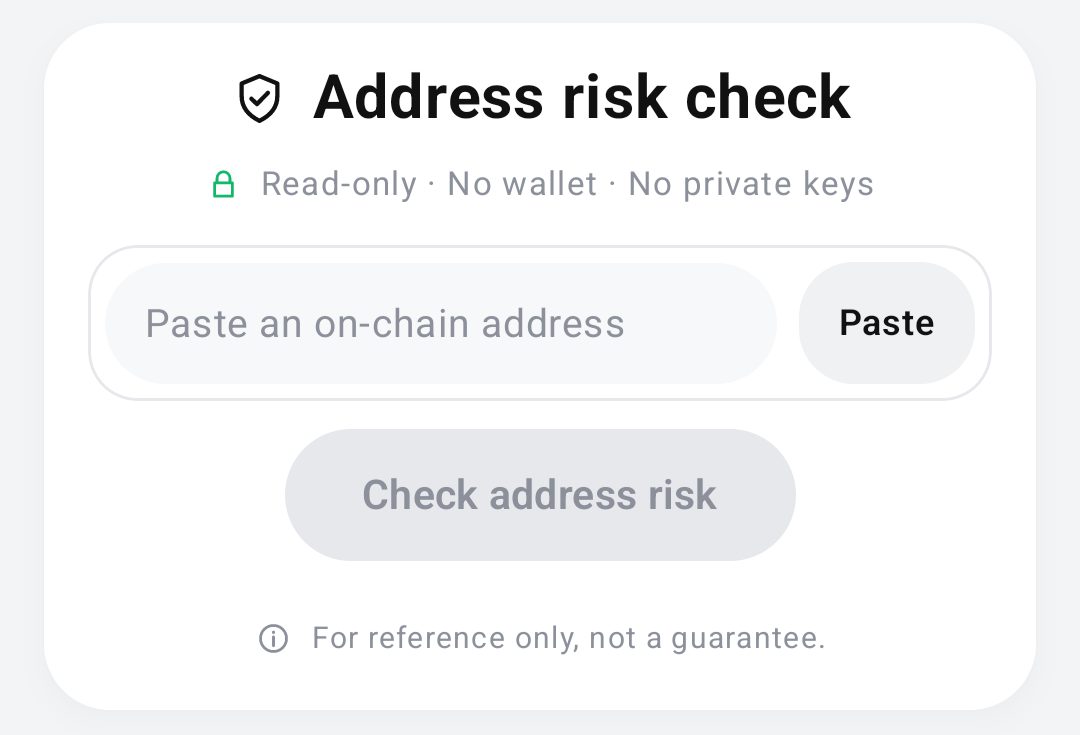
Choose TRON, Ethereum or Bitcoin and paste the address you want to check.
 U Checkby BibiDaily
BIBIDAILY PRESENTS / U CHECK
Paste an address before you send: see whether it's flagged or frozen and what it has been doing lately, on TRON, Ethereum and Bitcoin. Plus reference crypto prices and USDT rates.
On desktop? Scan with your phone, or use the direct download button.

Actual U Check screens
Supported chains and assets; no partnership or brand endorsement implied.
RISK CHECK
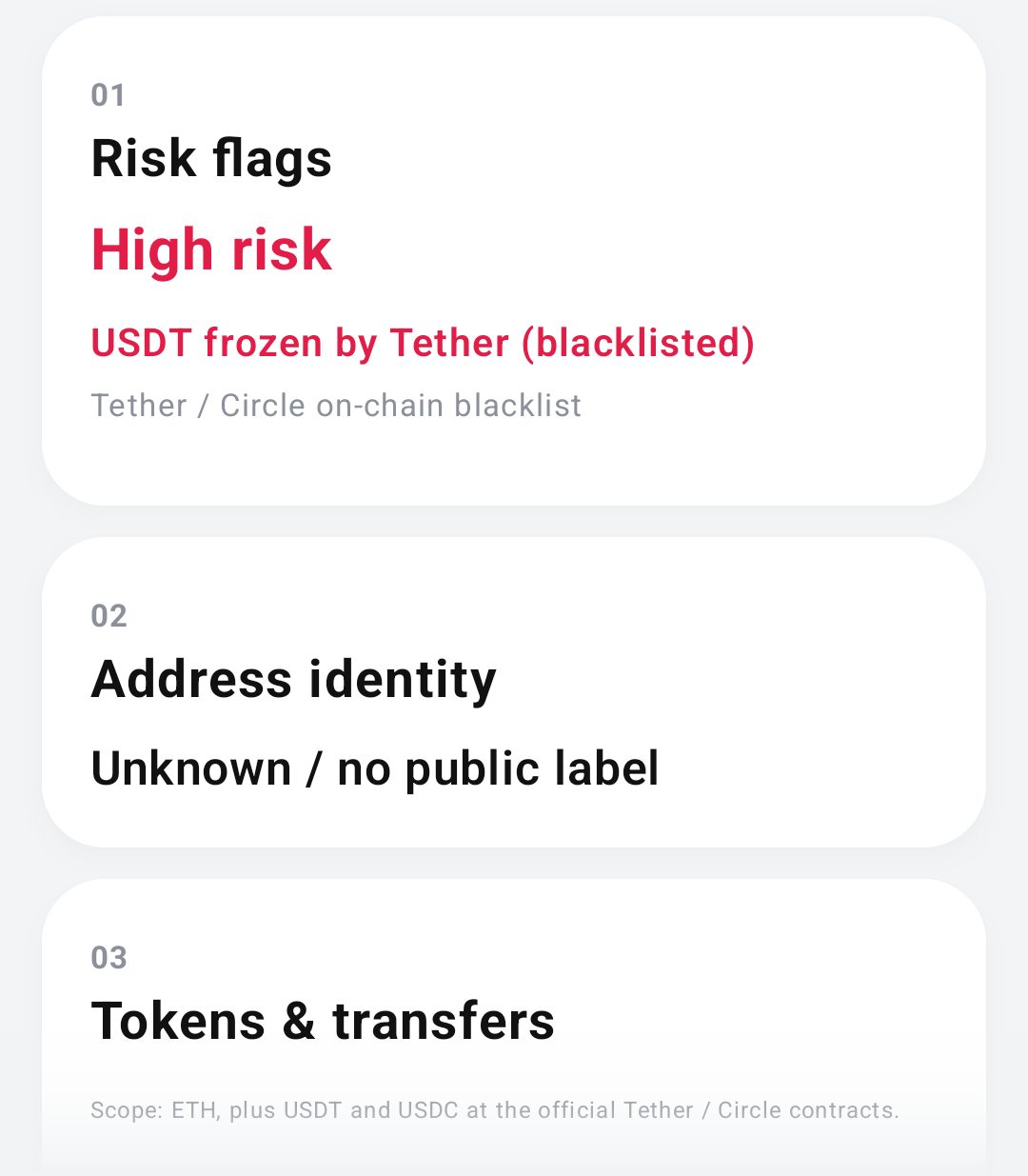
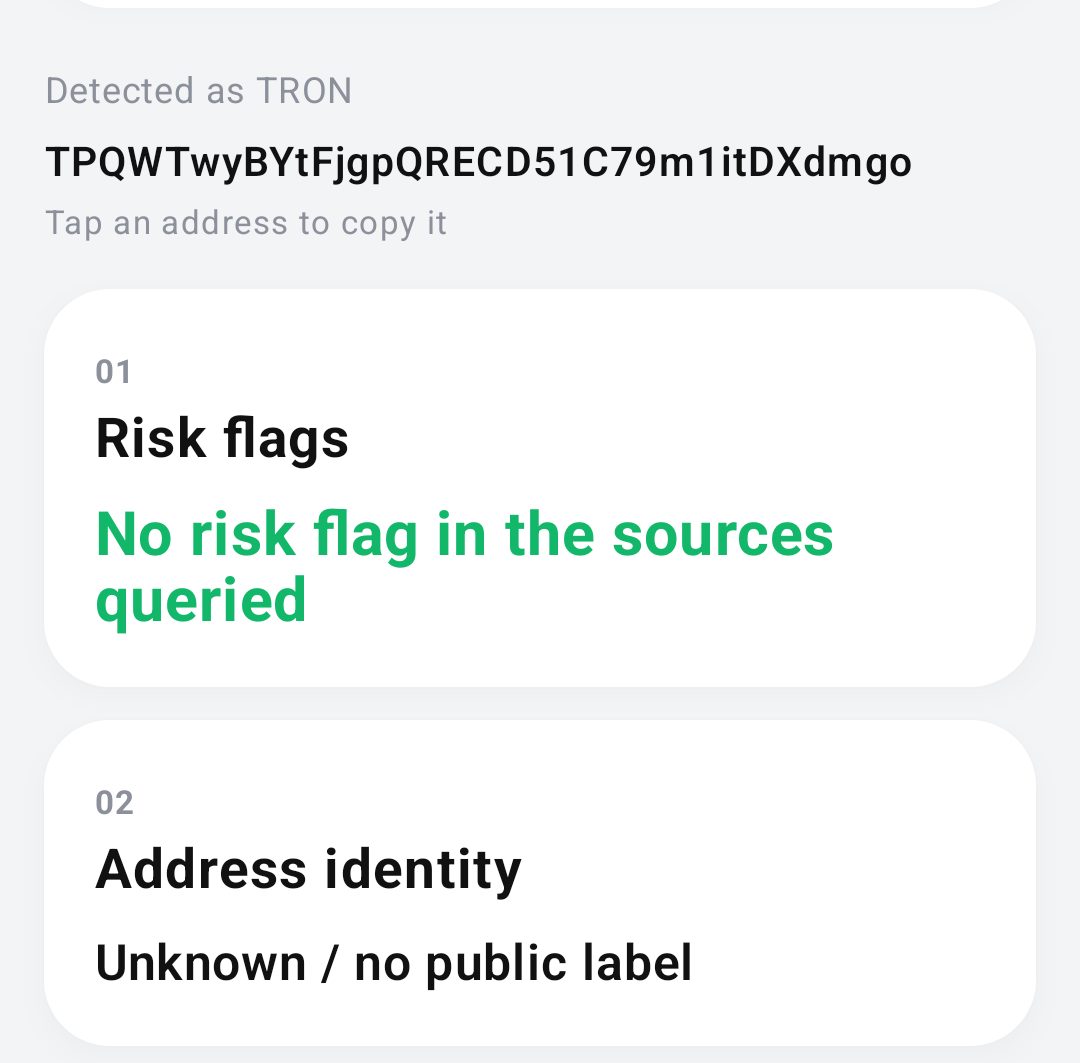
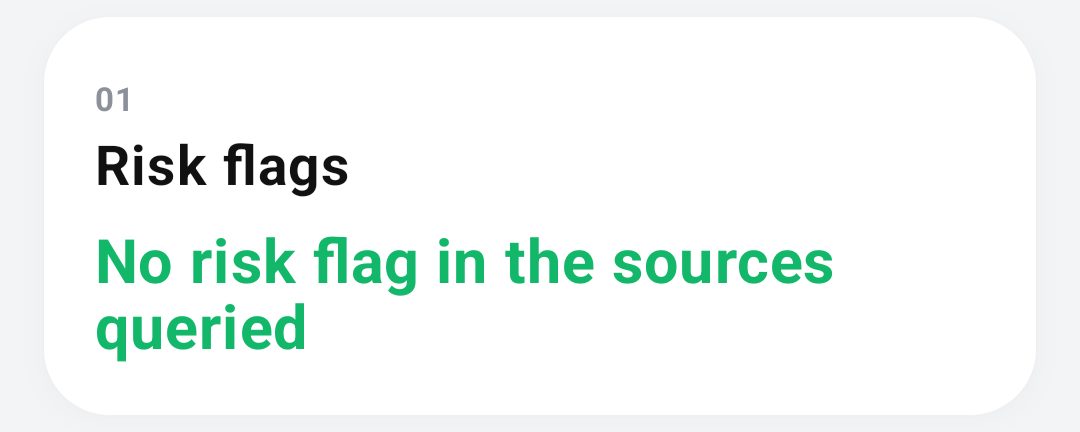
Paste an address and U Check checks whether its USDT or USDC has been frozen by Tether or Circle (Ethereum and TRON), and whether it is a known ransomware payment address on Bitcoin. If it matches, it is flagged High risk.
For reference only. Not every risk can be detected.


Ransomware address list: Ransomwhere (ransomwhe.re), CC BY 4.0; Bitcoin addresses only.
ADDRESS CHECK
Paste a TRON, Ethereum or Bitcoin address to see its balances and recent transfers. U Check also checks it against OFAC sanctions lists, scam-address databases and security labels, so you get a second look before you send.
Checking a USDT address? First confirm which network it's on (e.g. TRON or Ethereum). USDT has no chain of its own; it uses addresses on the chain it runs on.
You can see an address's recent transfers, but you can't look up a single transaction by its hash. For full history, status and confirmations, use a block explorer for that chain.
Read-only checks · No wallet connection · Never enter private keys or seed phrases
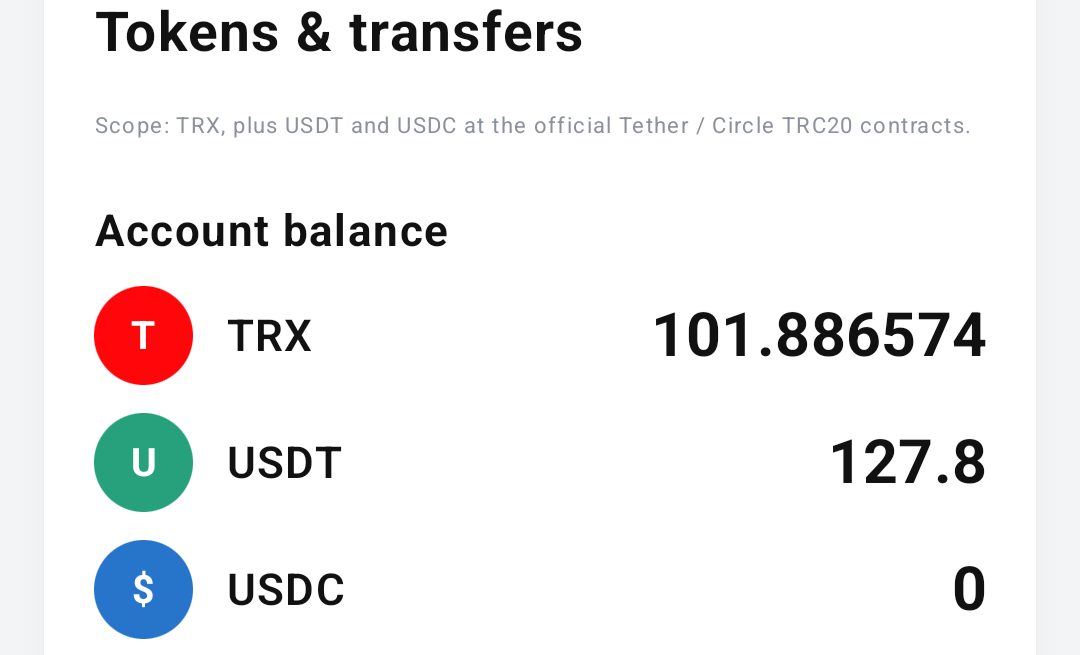
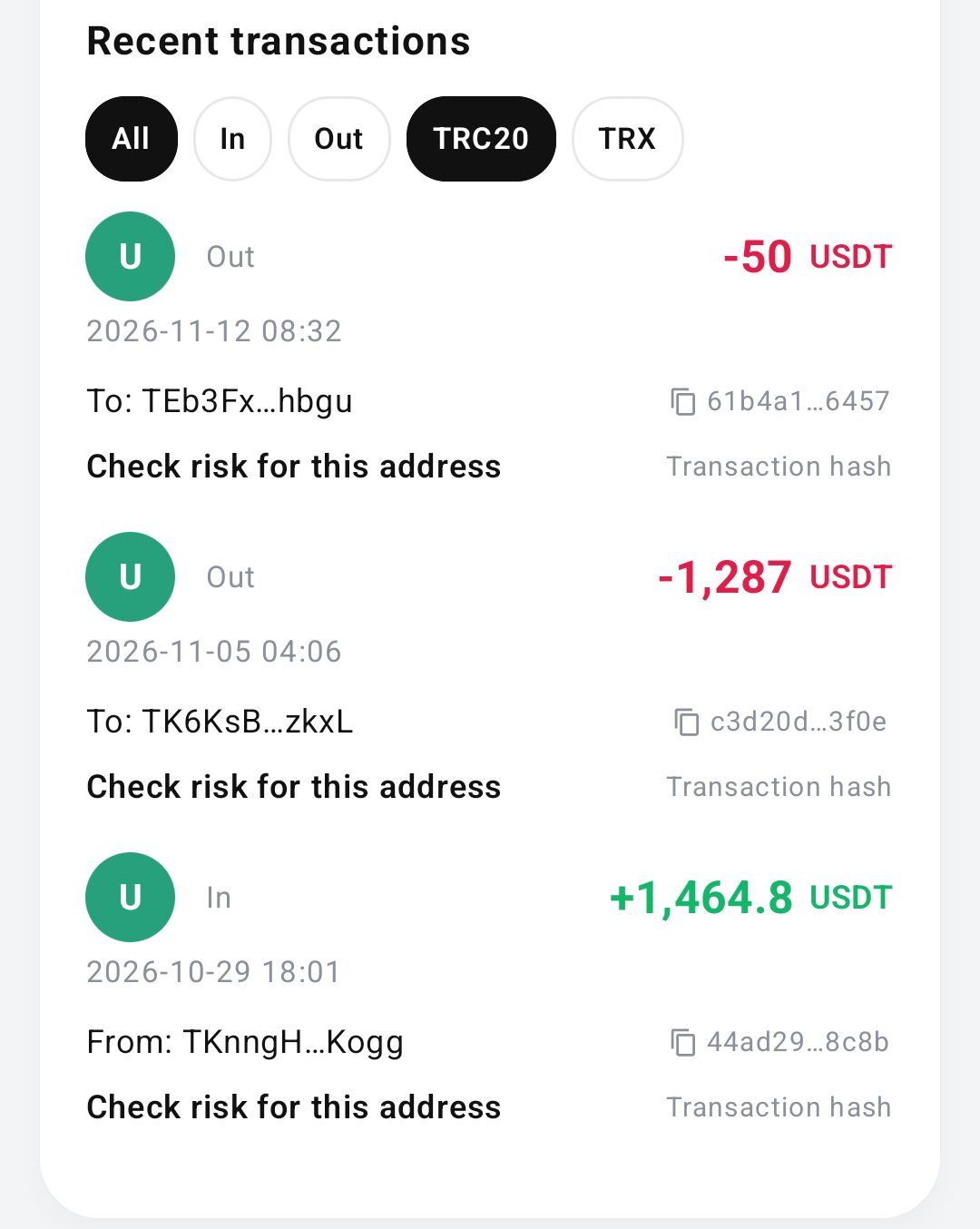
PUBLIC ON-CHAIN INFORMATION / BALANCES & TRANSFERS
See which coins an address holds, how much, and what has moved in and out recently.
PRICES & RATES
Keep an eye on BTC and ETH reference prices (Binance spot) and USDT-to-fiat reference rates (Binance P2P offers), and convert amounts on the spot. Prices refresh automatically and are for reference only, not executable quotes.
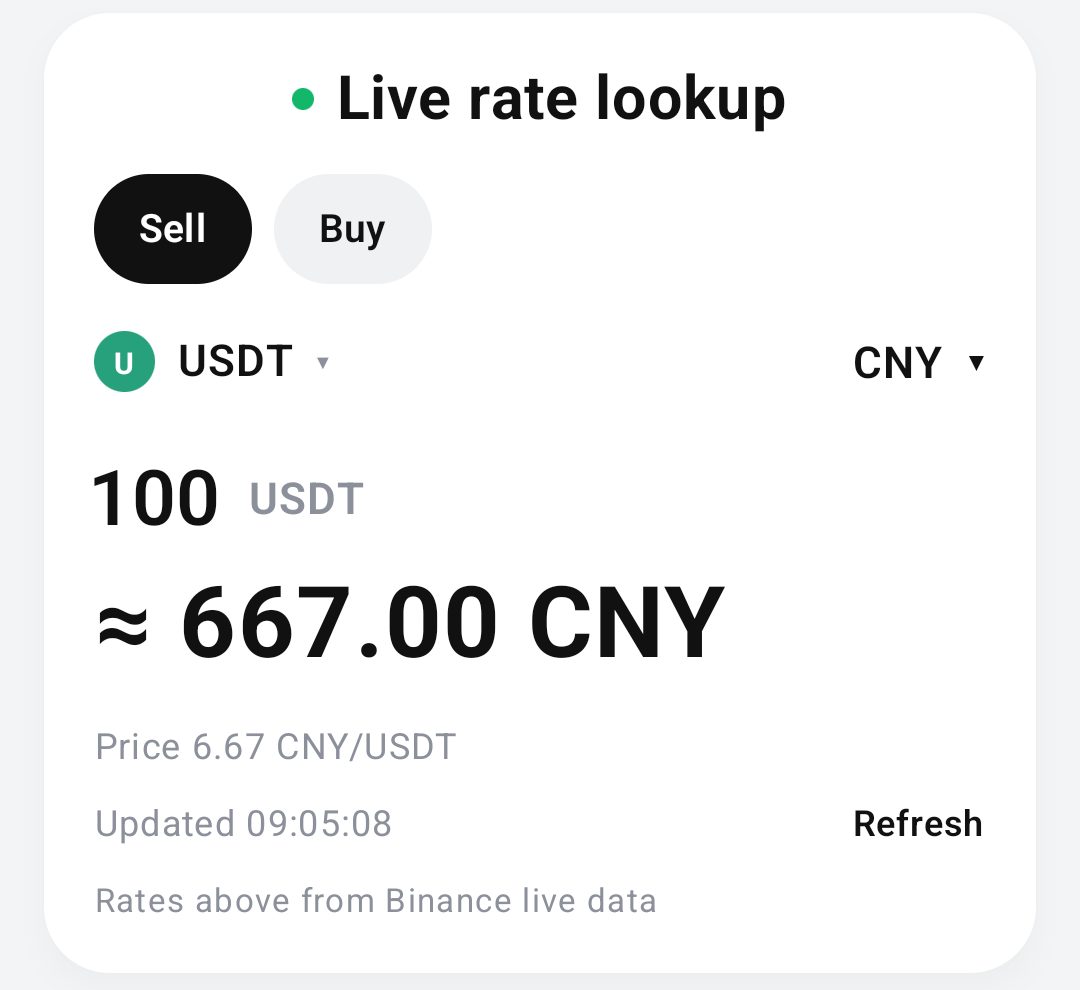
Screenshot example: 100 USDT ≈ 667.00 CNY. Check the app for current rates.
PUBLIC DATA / CLEAR SOURCES
Risk lists and labels
OFAC / ScamSniffer / GoPlus / Tether · Circle / RansomwhereReference prices
BinancePublic on-chain information
Blockscout / TronScan / BlockstreamRisk lists come from public sources; some are downloaded and matched on your phone, so the address you check isn't sent to those list providers. On-chain data and prices come from the public services above. These are data sources, not partners; data may be delayed or incomplete. See the privacy notice for details.
HOW IT WORKS
Choose TRON, Ethereum or Bitcoin and paste the address you want to check.
See whether the address is flagged, and what it has sent and received recently.
Check reference prices and rates, and convert amounts.
All screenshots show the actual U Check app. Addresses and balances shown are public on-chain data; figures are examples only and will change over time.
GET THE APP
Android · Direct APK download. Open the file on your phone and follow the prompts. If Android asks about installing from unknown sources, allow it for this install.
If you have version 1.5.0 or a later release installed, just download the new version and install it over the old one. If you have an early v10 or older test build, uninstall it first, then install the new version.
This notice is published by BibiDaily and applies to U Check for Android 1.7.0 and this website. It explains which services the app connects to, what it sends, and what it stores on your phone. Last updated: November 2026.
U Check has no server of its own, no account, registration or login. It does not connect to wallets or sign transactions, includes no analytics, advertising or crash-reporting SDK, and its requests carry no device or advertising identifier. The app needs only internet access, uses encrypted HTTPS connections only, and its data is excluded from system backups. It does not access contacts, photos or location. Never enter a private key or seed phrase in any field.
A check is sent only when you tap check, retry, open a counterparty address or go back to a previous address; an address in the wrong format is not sent. The address you check is sent to these public services: · Ethereum: Blockscout (eth.blockscout.com); PublicNode (ethereum.publicnode.com) if balances are incomplete; plus a check with PublicNode of whether the address is on Tether's (USDT) or Circle's (USDC) freeze list. · TRON: TronScan (apilist.tronscanapi.com), plus TronGrid (api.trongrid.io) if data is incomplete; plus the same freeze-list check with PublicNode's TRON node (tron-rpc.publicnode.com). · Bitcoin: Blockstream (blockstream.info), or BlockCypher (api.blockcypher.com) if Blockstream returns nothing. · Ethereum and TRON addresses are also sent to GoPlus (api.gopluslabs.io) for security labels; Bitcoin addresses are not. These services receive the address together with your IP address, request time and standard request headers (such as User-Agent), and process and retain them under their own policies; we do not control their retention. A public on-chain address can in some cases be linked to a person.
The OFAC sanctioned-address lists (the public 0xB10C compilation) and the ScamSniffer scam-address database are downloaded as whole files from GitHub (raw.githubusercontent.com) or jsDelivr (cdn.jsdelivr.net). The address you check is not sent to these sources; matching happens on your phone. On the first Bitcoin check, the app also downloads a public ransomware payment address list from Ransomwhere (api.ransomwhe.re/export). The address you check is not sent to Ransomwhere; the app keeps only the Bitcoin addresses and the name of the ransomware each belongs to, and matches them on your phone. This list is used under the CC BY 4.0 license; the source is Ransomwhere (https://ransomwhe.re). These services receive your IP address and request time when the files are downloaded. The list files are kept in the app's private storage, are not updated automatically, and are deleted when you uninstall the app or clear its data in system settings. Freeze-list results are not stored as files on your phone.
When the rate screen opens, every 30 seconds while you stay on the rate screen, and when you change buy/sell, coin or fiat or tap refresh/reset, the app requests Binance spot prices (api.binance.com or data-api.binance.vision) and Binance P2P offers (p2p.binance.com). These requests contain only the selected coin, fiat, buy/sell side and a fixed preset amount for each fiat; the amount you type is not sent, and conversion happens on your phone.
The app's built-in news section requests public RSS feeds from Odaily (rss.odaily.news), PANews (www.panewslab.com) and Cointelegraph (cointelegraph.com), in that order until one returns items, when the screen loads, every 5 minutes afterwards, and when you tap refresh or reset. These requests contain no address or text you entered; only headlines are shown and no external browser is opened. These services also receive your IP address and request time.
Apart from the list files above (including the Ransomwhere list file saved after the first Bitcoin check), check results, rates, typed amounts, headlines and the list of addresses you've viewed (for going back) are kept only in memory and are cleared when you fully close the app or tap reset. Your language setting is saved on your phone. The app uses no database and does not cache network responses. The system clipboard is used only when you paste or tap copy.
This website (bibidaily.com) uses Cloudflare Web Analytics to measure visits to the website itself. This is separate from the U Check app, which contains no analytics SDK. When a page loads, your browser loads an analytics script from static.cloudflareinsights.com and sends metrics such as page views, referring site and page-load performance to Cloudflare (cloudflareinsights.com). According to Cloudflare's documentation, the service does not use cookies or browser storage such as localStorage, and does not fingerprint visitors or track individuals across websites via IP address, User-Agent or other data for the purpose of displaying analytics. As with any network request, however, Cloudflare receives your IP address and other request information in transit and processes it under its own privacy policy. We view only aggregated statistics. The website uses no advertising scripts or other analytics services. In addition, when you visit the page or download the APK, the hosting provider may record access logs such as IP address, access time and browser information; the fields and retention period are determined by the hosting service. Content-blocking browser extensions may block the analytics script; this does not affect use of the page or downloads.
To understand how many people actually download the Android app and where they come from, we run our own download counter in the Cloudflare account that hosts this website. It handles only download requests for the installation file (APK); it is not an advertising script and does not pass data to any other analytics provider. When you tap an Android download button on this page, the page adds two short tags to the download link: one showing that the download was started from this website's button, and one naming the channel through which you reached the website (for example tg, xhs, x, baidu or google, or the domain of the referring website). The channel tag is created only inside the page you have open; no cookies are used and nothing is written to localStorage or other browser storage. For each download, the counter stores: the time, the file name, the country or region, the broad device type (Android, iOS, computer, etc.), the two tags above, the domain of the referring website sent with the download request (not the full address), the network operator's number and name, the code of the Cloudflare data centre that handled the request, whether the request looks automated together with a short reason code, whether it was a partial (resumed) download, and the response status. So that repeat downloads from the same device on the same day (for example a resumed download, or the browser and an in-app window each requesting the file) count only once, the counter uses a secret key to turn the date (Vietnam time), your IP address and the broad type of your device (operating system, version and phone model) into a short code that cannot be reversed, and stores only that code. Your IP address and full browser information (User-Agent) are not stored; the code is different every day and cannot be used to recognise or track the same visitor across days. These records are used only to count downloads and their channels; we view only aggregated results and do not sell or share them. Turning off JavaScript or opening the download link directly does not affect the download.
We do not sell personal data. Because there is no server of our own, we do not receive your queries; transfers to the third parties above serve only the corresponding features. You may choose not to run checks, and you can remove local files by uninstalling the app or clearing its data. For data we actually hold (for example, emails you send us), you may request access, correction or deletion; we cannot delete third-party service logs on your behalf.
U Check is provided by BibiDaily. For privacy questions, email the address below. We will update this notice if data handling changes.